Your training data.Your next step.
An AI coach for runners, cyclists and triathletes. Turn your synced workouts into a weekly plan, session reviews and guidance on recovery.
Apple or Google sign-in. No installation needed. Free access and limits
- You control your integrations
- Free to start
- No credit card
 Brotein.pro CoachChatPlan
Let’s adjust the week around your schedule:
- Move the long run to Sunday.
- Keep Saturday easy to leave room for recovery.
- How much time do you have on the other days?
Built on the data you already track
Connect a separate intervals.icu account to bring in Garmin workouts and available recovery data. Enable activity and daily health sync in intervals.icu.
Workouts, sleep, HRV & training load
Garmin data is provided via intervals.icu. Brotein.pro does not connect to Garmin directly and is not affiliated with Garmin.
From workout data to a clear training plan
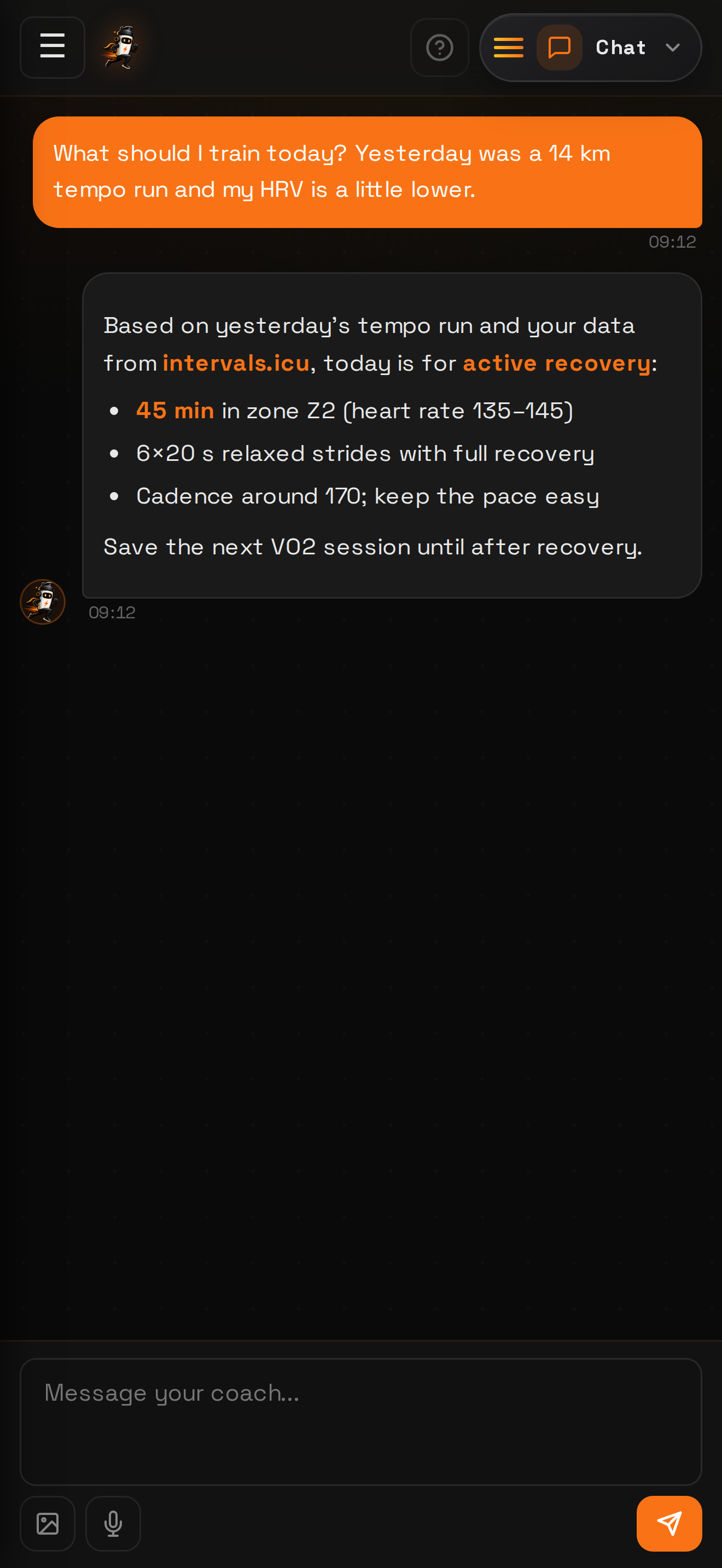
Ask questions, review your sessions and plan the week with an AI coach.
Chat with your coach
Ask about training, pacing, fueling and recovery. Your coach uses the workout data available in your connected account.
Your workouts in one place
Connect Garmin through intervals.icu to bring your workouts and available sleep and HRV data into one coaching conversation.
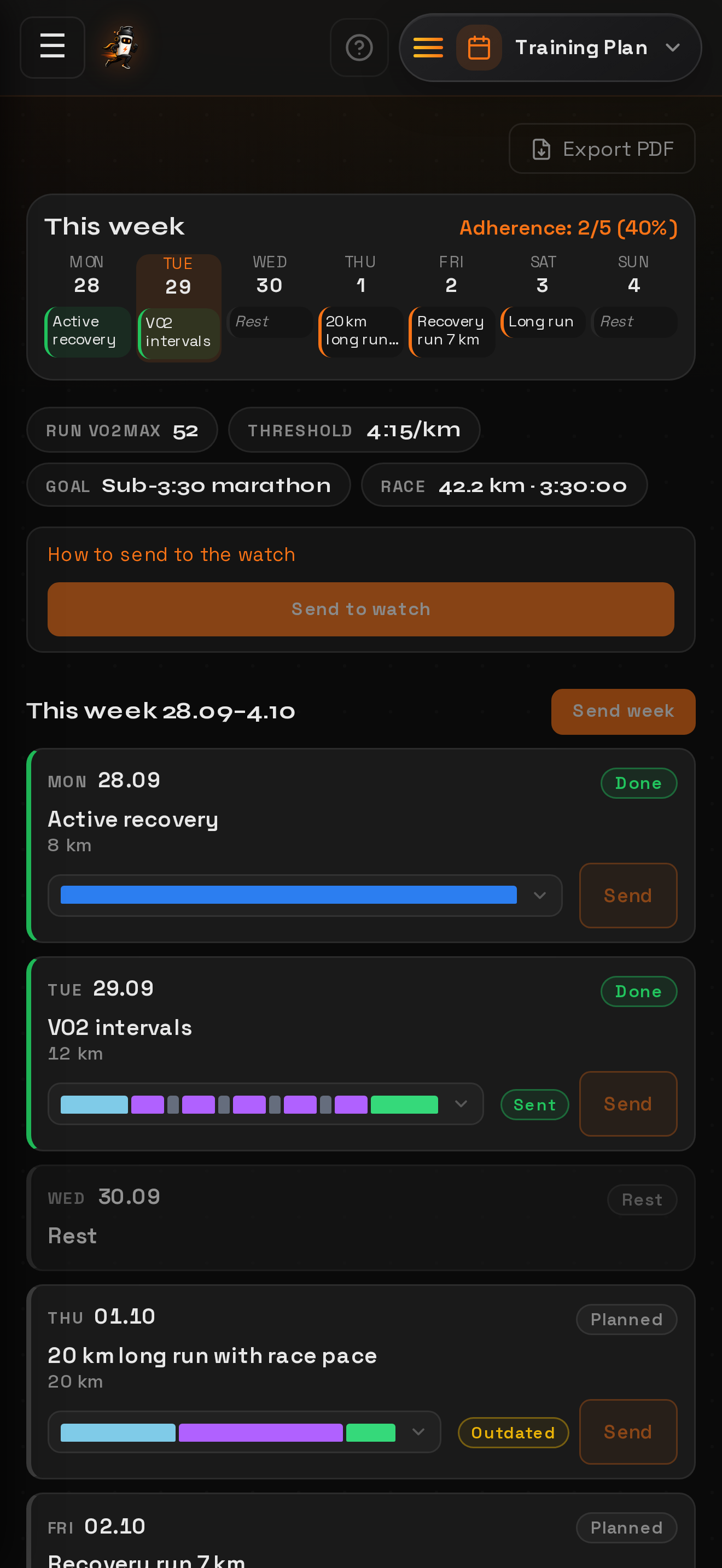
Plans that fit your schedule
Ask your coach to create a weekly plan for your goal and availability. Tell it when your schedule changes and request an updated plan.
Deep workout analysis
Review pace, heart rate, splits and intervals where available. Get an explanation of what went well and what to work on next.
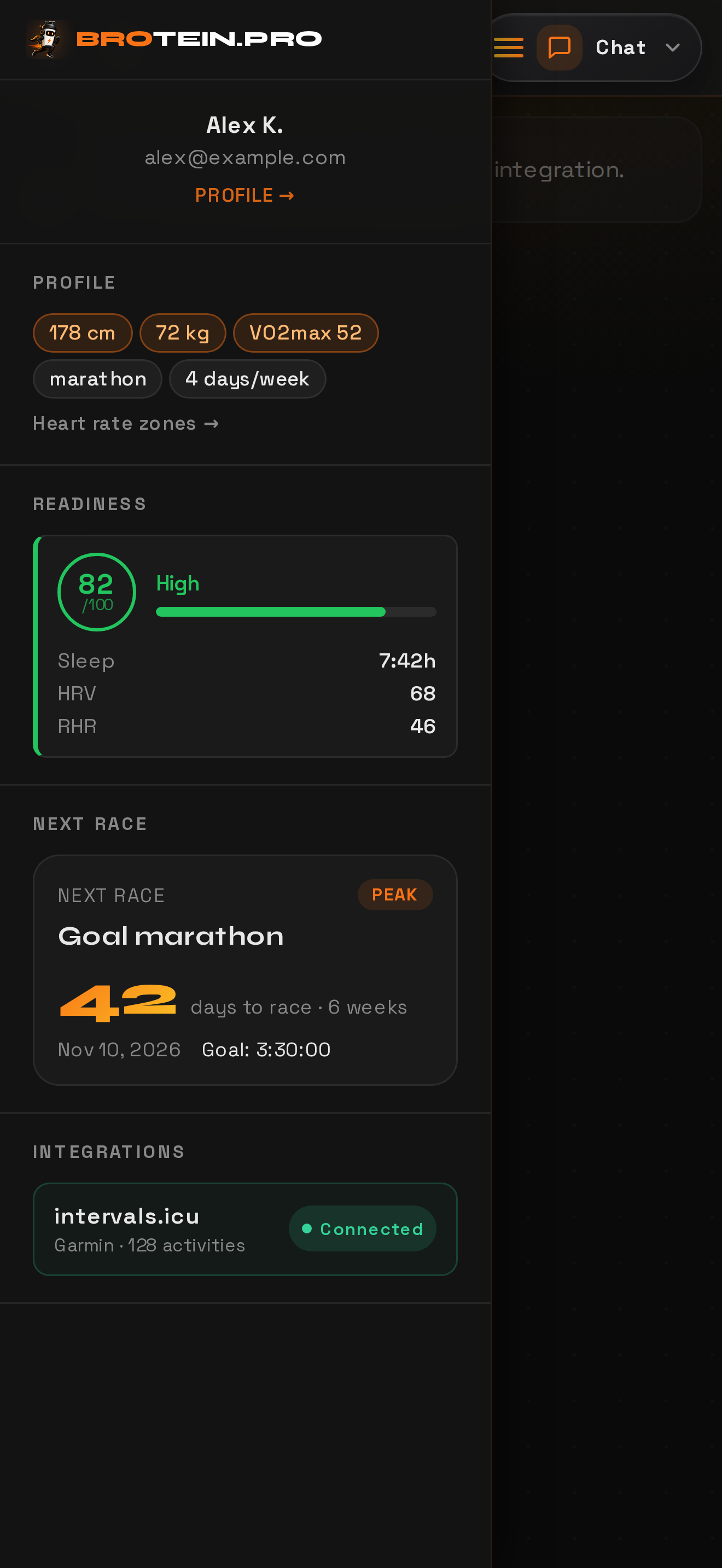
Daily readiness
Use available sleep, heart-rate variability (HRV) and training-load data to understand your recovery. Guidance depends on what your device syncs.
Race strategy
Add your target race and discuss pacing, preparation and fueling with your coach, based on your goal and available training history.
Designed to feel like a real coach
Fast, focused and built for athletes — on iPhone, Android and in your browser.
Your first plan, step by step
- 1
Create your account
Start in your browser or download the app. Sign in with Apple or Google and complete your training profile.
- 2
Connect your training data
Connect a separate intervals.icu account and enable Garmin activity and daily health sync there. Older history may need a separate import — the guide walks you through it.
- 3
Tell your coach your goal
Share your goal and available days, then ask the coach to create your plan. Completing your profile alone does not generate a plan.
- 4
Train and adapt
Review your sessions and tell the coach about fatigue or schedule changes. Ask it to adjust your plan when you need to.
Start free. Know your limits.
No credit card is needed to get started. AI coaching can have account usage or trial limits. Your current access and usage are shown in the app.
iPhone, Android or browser
The same AI coach everywhere — native apps on your phone or no install in the browser.
iPhone
Chat and voice coaching on iPhone. An internet connection is required for coach responses and data sync.

Android
Install the Android app from the APK download below, or use Brotein.pro in your browser without installing anything.
Download APKAPK installation may require permission to install from your browser.Browser
Full coaching at brotein.pro — nothing to install. Sign in and start training.
Questions, answered
Garmin connects through a separate intervals.icu account. Enable Garmin activity and daily health sync there, then connect intervals.icu in Brotein.pro. Sleep and HRV depend on the device and data it shares. Older workouts may require an import in intervals.icu.
See the setup guide →Running, cycling and triathlon — with pace, power, HR, cadence and training-load aware coaching for each.
You can create an account and start without a credit card. AI coaching can be subject to an account usage budget or trial period; it is not a promise of unlimited free access. Check your current access and usage in the app’s AI access screen.
You can use a modern browser, the iPhone app from the App Store or the Android APK. Coach responses and syncing require an internet connection.
You can disconnect integrations or delete your account in your profile. Coaching uses your synced training data and AI service providers, as described in the privacy policy.
Privacy →Yes, the Garmin connection uses a separate intervals.icu account. Link Garmin there, enable activity and daily health sync, then authorize Brotein.pro. Our setup guide explains each step.
See the setup guide →Make your next workout a considered one.
Connect your data, tell the coach your goal and ask for your first weekly plan.